Allow Users to Select a Specific Customer When Logging on to Stay
Stay is enhanced to allow users to select the preferred customer when logging in to Stay as a Service Account user.
Contact Agilysys to use this feature.
When users create tenants in Agilysys Platform as Business Customers, the user roles with permissions defined for a tenant created as a Service Account can be added in the Support User Access section of the Users tab of the tenant in Agilysys Platform.
When users log in to a service account tenant in Stay, the list of customers, for which user roles created in the service account tenant are added, are displayed.
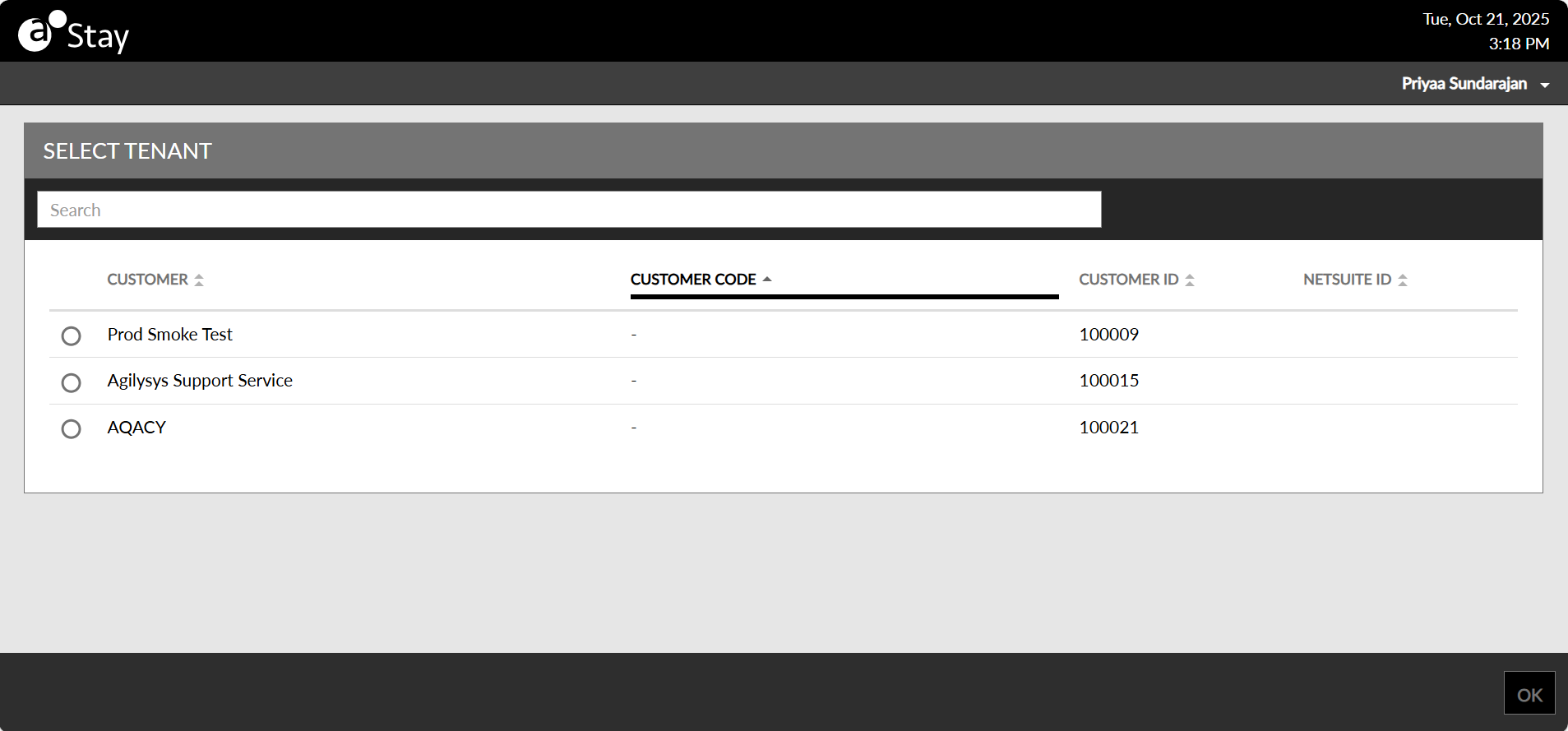
Users can select the preferred customer and then log in to the preferred property under the customer.
The following columns are displayed in the Select Tenant section of the screen:
-
Customer
-
Customer Code
-
Customer ID
-
Netsuite ID
All columns can be sorted. Users can search for a customer by entering the name in the Search field. Users can select any one of the customers displayed by selecting the radio button displayed for the tenant in the Customer column.
Once the customer is selected and users click Ok, they are navigated to the Select Property pop-up screen, where the preferred property can be selected.